¶ 3D-Lab Rules and Guidelines
Introduction necessary before first print at xHain!
¶ 1. General
- Usage of any 3D printer is authorization required!
- Don't hesitate to ask to get an introduction!
- Use the scale to calculate the donation for your print, keep in mind that filament is not cheap.
¶ 2. SLA Printing
SLA printing is no longer offered at X-Hain.
- Turn on ventilation while working and connect the suction hose to the printer in operation.
- Don't leave resin trash in regular trash
- Don't use FDM side stuff with resin
- Don't leave the table dirty and untidy
- Never leave resin bed dirty
- Shake the resin bottles, if you think its enough do it another
- Always filter resin when putting it back into its bottle
¶ 3. CLAY Printing
Clay printing is currently not available at the 3D lab.
¶ 4. FDM Printing
FDM stands for Fused Deposition Modeling. Or otherwise that's what the prusa printers and the belt printer are doing!
¶ 4.1. Bedsheets
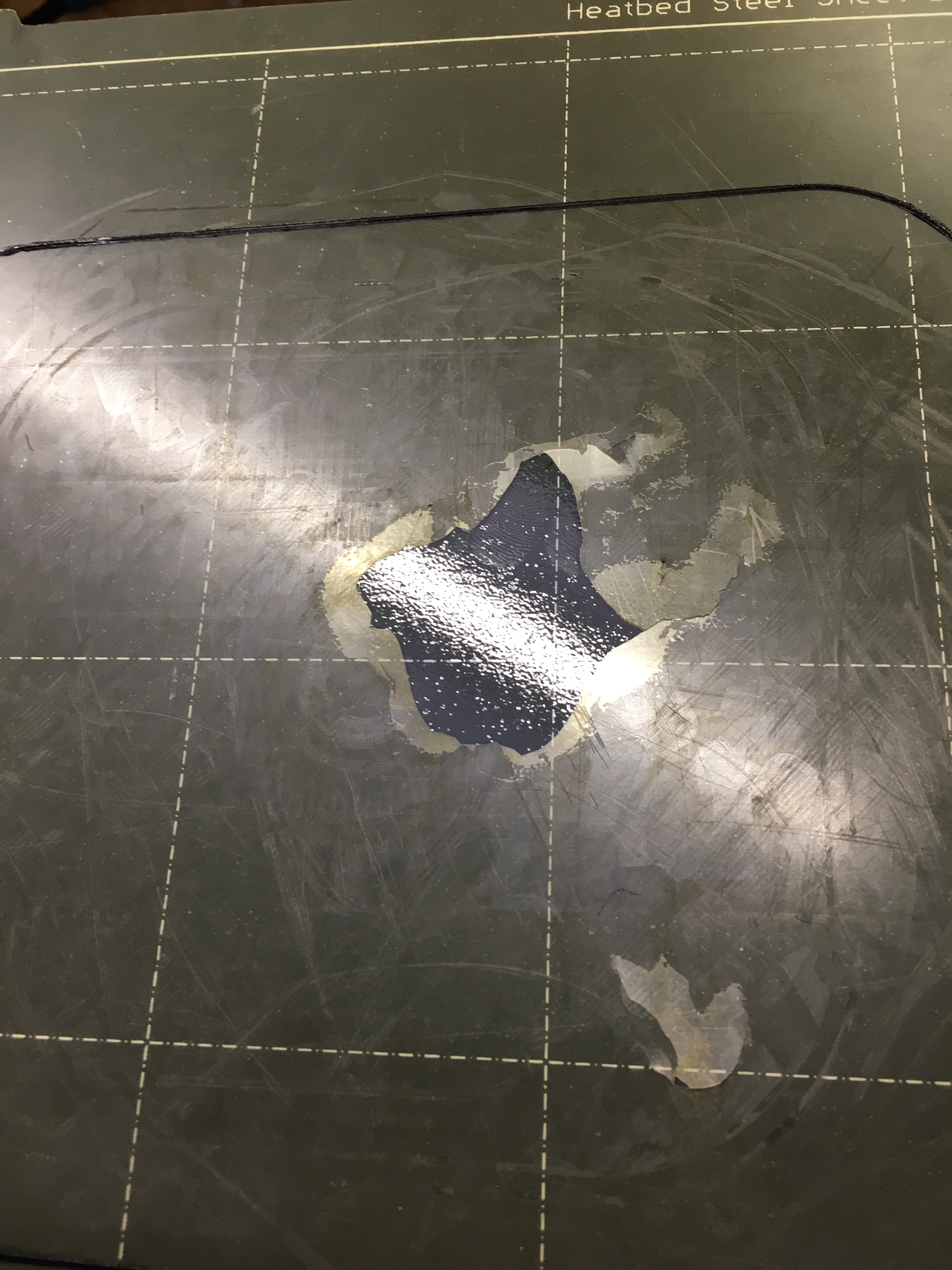
- TPU and PET-G is FORBIDDEN on Smooth Sheets! Only use Textured Sheets for TPU and PETG.
- Before you start a Print, clean with paper towel soaked in ~90% Isopropyl alcohol or use just Soap and water
- ABSOLUTELY NO ADHESIVE SPRAYS, GLUESTICKS OR ACETONE on Prusa sheets
¶ 4.2. Filament
- Using filaments other than PLA or PET-G is authorization required, your own included! Including 'modified' filament like Glow-in-the-Dark PLA, Carbon/Glassfilled etc.
- Be aware of specialized filaments on the rack such as IGUS slide bearing or aforementioned ones
- unload private filament after use! And mark it properly, sticker on both sides!
- Put spools back to their proper place in the rack
- Make sure to check what filament you are using before printing
- read the fine PETG manual from Prusa
- read the fine PLA manual from Prusa
¶ 4.2.1 Private Filament Storage
Space is at a premium, so private filament can temporarily be stored on the rack (not inside the "fridge") while working on a project, but should be taken home or left in your member box for general storage.
- Please make sure to label your spool with the date you left it there.
- Filament left for longer than 2 weeks (checked on Infrastructure days) will be returned to the common filament storage for general use.
¶ 4.3. Printing
- You can leave the printer, AFTER THE SECOND LAYER is successfully finished.
- Any maintenance authorization required (nozzle change included!)
- Don't change z-offset, make sure you use the right bed profile.
- Make sure that both sides of the bedsheet and the heated bed is clean and free of debris.
- Don't use more than 2 printers at the same time, without asking in the chat first(Printer Goblins)
- Wait until the bedsheet reaches room temperature to remove print by gently bending the sheet. YOU SHOULD NEVER NEED A SPATULA with steel sheets!
- Be extra gentle if you are removing someone else's print from the sheet, beware previous rule, then leave it in the finished prints box.
¶ 4.4. Pricing and Donations
- Please donate at least 0.03€ per gram of your print when using X-Hain filament, and 0.01€ per gram when using your own filament.
- Include all used filament including failed prints, supports, brims, etc. in this calculation.
- Feel free to donate filament at any time or print with your own filament (see 4.2. for more)
¶ 5. Wall of Doom
insert image gallery here, once we know how to
 |
|
|
| a smooth print bed destroyed by PETG or TPU print | a smooth print bed destroyed by PETG or TPU print | a smooth print bed destroyed by PETG or TPU print |