 under construction
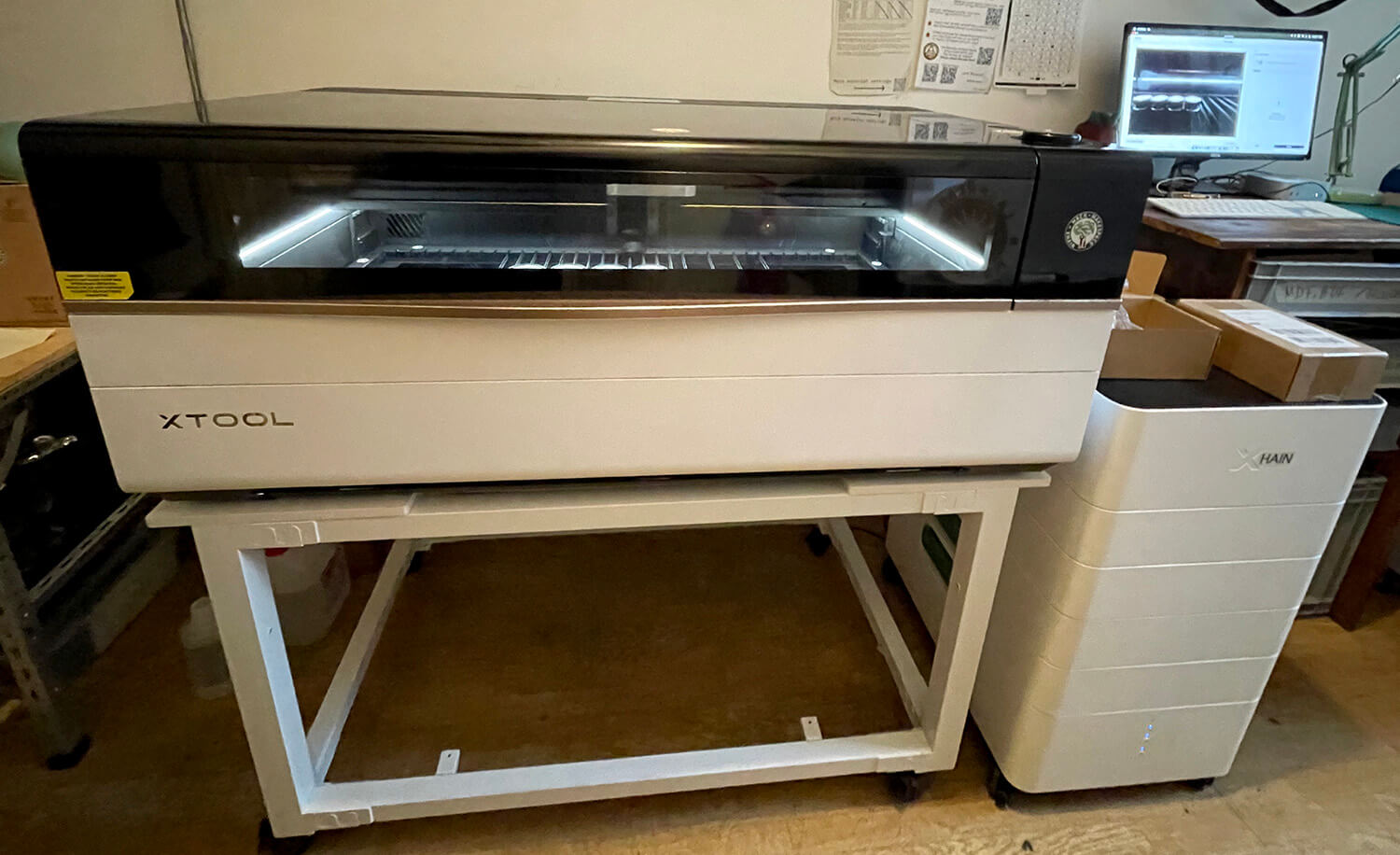
This page is about the newer xTool P3 laser cutter. Are you looking for the older Epilog Zing?
¶ xTool P3 Laser cutter
Please read the Space Rules first, especially the sections on "safety" and "use of machinery".
This page is intended as a reminder and does NOT replace a personal introduction to the Laser.
This laser cutter has several features, which require separate introductions.
If you break the rules layed out on this page, your permission can be revoked.
Please ask in the LaserLab channel to receive a personal introduction
¶ Specs
| Specifications | |
|---|---|
| Wattage | 80W CO2-Laser |
| Working area | 915 mm x 458 mm |
| Max inner height | 220 mm |
| Engraving speed | 1.2m/s |
| Acceleration | 2G |
| Cutting thickness | 20 mm (basswood) 25 mm (acryl) |
| Autofocus | lidar |
| Software | xTool Studio |
| Extensions | rotary, conveyer |
¶ Important Notes
- Suggested donation: 30 cents/minute for members and 80 cents for non-members to cover the cost of the laser cutter consumables (i.e. carbon and hepa filter, lens, mirror, etc.),
- DO NOT leave the lasercutter unattended for more than 15 seconds!
- DO NOT lasercut materials that will damage/corrode the laser (e.g. PVC/vinyl) or are toxic. Check out material list.
- Make sure you DO NOT touch the lens or any mirrors at any time!
- We have two lasercutters in the LaserLab. Do not run both at the same time!
- Always document your lasercutting minutes in the sheet provided.
¶ Operating hours
- Mon-Sat: 08:00 to 22:00
- Sun/holidays: 10:00 to 20:00
¶ Use
Any of these use cases (cutting and engraving / using rotary / using conveyer system) require a separate introduction.
¶ Laser cutting and engraving
¶ Pre processing checks
- Open xTool Studio, either on the LaserLab computer or on your own Laptop
- Turn laser cutter on, the switch is on the backside on the right
- Check if xTool Studio has a connection to the cutter
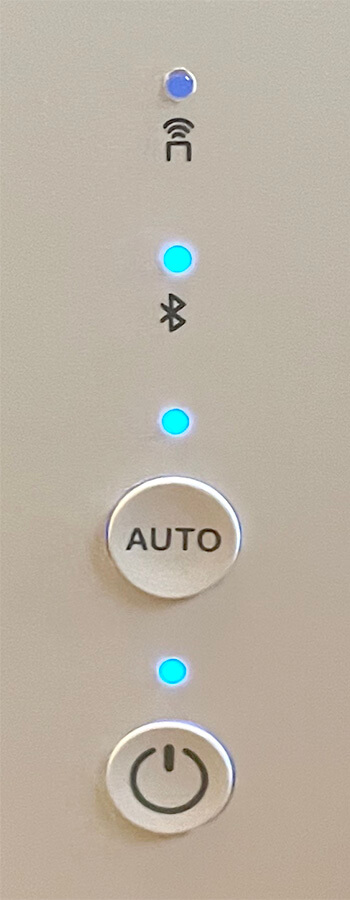
- Check if the filter system has power and is in the correct mode: The three lower LEDs should be lit up, that's power, auto and bluetooth
- Check if the interior of the cutter looks functional and the back lid is closed
- Check if the window is closed, otherwise the exhaust will come back in
- Check if the door is closed, to spare others the noise
Troubleshooting:
- If the software can't connect to the cutter, make sure to start the software first, then switch on the cutter.
¶ Scanning the material
- Open the lid and place your material in the cutter
- A red light on the lid will indicate a running scanning process
- A green light will indicate a finished scan
- Close the lid and head to xTool Studio, the scan will be loaded automatically.
¶ Troubleshooting:
- With transparent materials put a piece of masking tape on it, so the autofocus has something to lock onto.
- Check if Auto Mode on the laser cutter is set to on.
- Check if xTool Studio is not held up in a task and is open to receive the scan.
- If you have a QR-code on the material, make sure it is visible in the scanning area.
¶ Semi-auto/manual focus
For objects with irregular shapes, transparency, or other reason to manually select point to focus on:
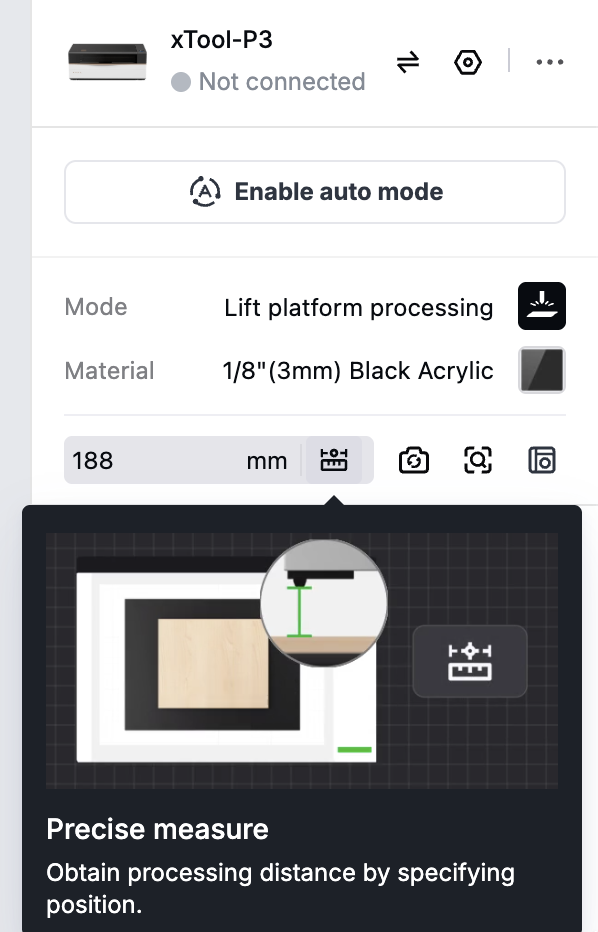
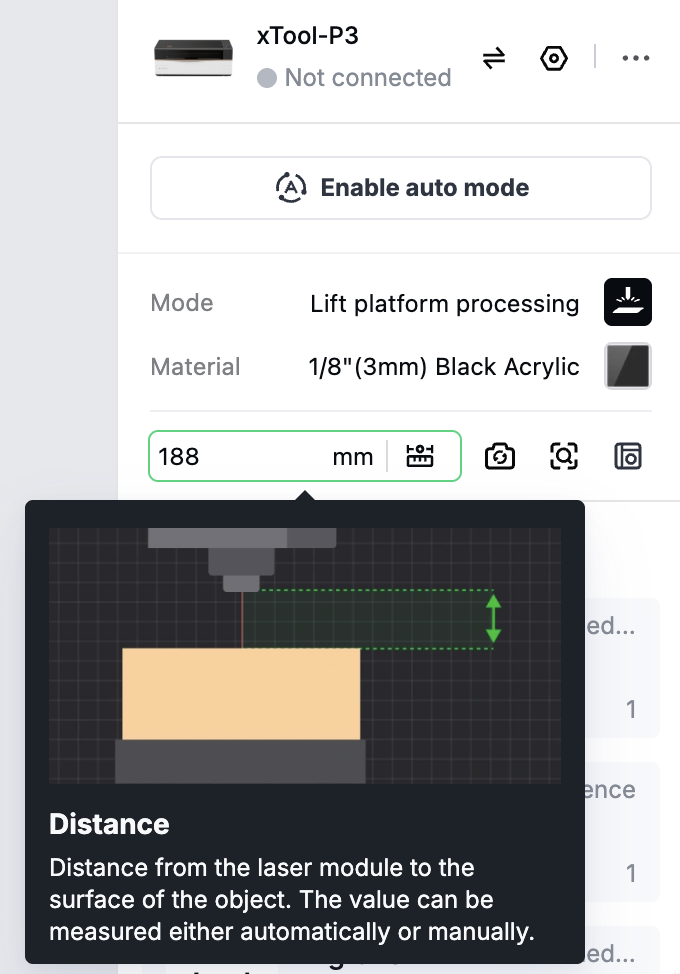
You can also use the text box next to it and set the focus distance manually:
¶ Prepare process
In xTool Studio you'll find several tools and options:
¶ Main view
Layers
All created items will sit on a color-coded layer. You can select a layer in the lower left corner. Or push an item to another layer by right click on the item.
Tool bar
Here are different tools for arranging and grouping your items, as well as boolean operations. The tools on hand will change depending on the sitation and how many items are selected.
¶ Left side
Import
Lets you import image files (SVG, DXF / XCS, PSD, PDF / PNG, JPG, JPEG, BMP, WEBP, TIF, TIFF, GIF / STL, OBJ, AMF, 3MF, GLB, PLY)
Text
Creates texts with every system font and more.
Shape
Create basic shapes and vectors.
¶ Right side
Close up
Takes a close-up shot of an limited area.
Close up stitch
Takes a close-up shot of an bigger area.
Material
Choose a suited preset.
Make use of the grid test archive (?)
Tasks
Options are Score, Engrave and Cut
Reference
Use the One-click set to get a preview of common preferences.
Preview
You should always use this for a sanity check.
Process
Start the process. There will be a last checkpoint with reminders and safety instructions. If it says to remove the nozzle, please do that and store the nozzle on TODO!!!
Big round button
Pressing the button on the laser cutter will finally start the process.
- Make sure that the air filter has started.
- Never leave the cutter unattended for more than 15 seconds!
¶ Finish process
- When the button on the cutter says finished, you can open the lid and take out your work piece, BUT
- Depending on use you should give the cutter time to remove fumes
- Clean out the tray, you can slide it out on the front
When sliding the tray back in, go slowly and make sure to push on the 3 white tabs so they end up inside the enclosure.
You should hear a bip sound once the tray is properly closed.
- If you removed the nozzle, please put it back in
- When you slide it back in, make sure to push the three white strips down, so that they slide in as well
- Fill out the laser protocol, that's the date, your name/handle, if you're a member, how much and if you have paid
- Feed the piggy bank or use Strichliste to transfer money to Maschinenraum/LaserLab
- Close your project in xTool Studio, so that the next user can start fresh
- Turn off the laser cutter
- Check if the working area is clean and you got all your stuff (e.g. USB stick)
¶ Tips and tricks
- If your workpiece is very small, put a scrap piece beneath it, to give it a firm seat.
- If you close the laser cutter lid too slowly, the laser cutter will try to do a scan while closing and will fail. If so, open again and then close the lid, still slowly but a bit faster

¶ Infrared 5W Laser module
- Requires a separate introduction!
The Module can Score and Engrave on the following Materials:
- Gold
- Messing
- Leder
- Stoff
- Gummi
- Zement
- Stone
- Anodiertes Metall
- Edelstahl
Please refer to the material list to check if any need special introductions.
¶ Installation and Calibration
To use the infrared module, it must be installed in the laser and properly calibrated. Please handle everything with care and don't hesitate to ask in the chat for help.
under construction
¶ Rotary
- Requires a separate introduction!
under construction
¶ Conveyer system
- Requires a separate introduction!
under construction
¶ Materials
It is important to only use materials that are suitable for lasercutting for health and safety reasons.
If you're not sure about a material, check our material list or ask in the LaserLab channel for help.
Be aware that only Curators can give authorisation for certain materials.
¶ Material rack
- You may use the common materials from the rack. If you do, please donate to the unicorn (use the prices from online retailers like Amazon as a reference).
- If you use your own material, please store it in your member box or take it home if it does not fit.
- Labelling your stuff and leaving it in the machine room is not acceptable. If you find materials you would like to use, but there is a personal name written on it: please feel free to use it. Your personal stuff is not safe here!
- Make sure the material rack stays tidy. Do not leave stuff lying around on the window sill or other places.
- Throw rubbish or small left over pieces into the rubbish bin provided.
¶ Safety & Fire Extinguishers
DO NOT leave the lasercutter unattended.
Makespaces have burnt down because someone started the lasercutter and went out to get some lunch. There was a motor failure, the laser continued to exert power on the same spot, the workpiece and machine caught fire.
-
It can happen that your workpiece throws some flames while being lasercut. Especially for easily flammable materials like wood, paper/cardboard or cotton fabric this happens quite frequently. Do not be alarmed. Normally the flames are pulled off by the ventilation and stop immediately when the laser stops cutting. It can, however, leave some black marks on your workpiece (consider choosing a lower power setting).
-
If, however, your workpiece or the machine seriously catches fire which you cannot extinguish by hand, we do have CO2 fire extinguishers stored at several locations at xhain. The closest one is in the machine room in the corner behind the door. The next one is in the main room under the workbench.
-
Make yourself acquainted with the locations and use of fire extinguishers.
¶ Maintenance
If the software requests maintenance or the laser cutter has been running for a certain number of hours, there is a procedure to follow.
xTool recommends cleaning the lenses and mirrors every four hours of operation.
The large filter should be checked/cleaned every 8 hours.
All other parts should be cleaned every six months or as needed.
You will find all the relevant information in the following link: https://support.xtool.com/article/2849